Font pairing is the art of combining two complementary typefaces—one for headings, one for body copy—so your brand looks cohesive everywhere it shows up, from your logo lockup to your email signature.
Getting this right means your typography communicates personality, creates a clear visual hierarchy, and holds together across every layout.
This guide walks you through a simple, repeatable process: define your brand personality, pick an anchor font, add a contrasting partner, refine sizes and weights, then lock it all into a brand kit.
Along the way, you’ll find a rules checklist, reliable formulas, and a comparison table of real-world font combinations you can adapt today.
Table of Contents
- What Is Font Pairing, and Why Does It Matter for Your Brand?
- The Core Rules Of Successful Font Pairings
- Step 1: Define Your Brand Personality Before Choosing Fonts
- Step 2: Pick Your Anchor Font (Heading or Body First?)
- Step 3: Add A Second Font That Contrasts And Complements
- Step 4: Fine-Tune Hierarchy With Size, Weight, And Case
- Reliable Font Pairing Formulas You Can Reuse
- Example Font Combinations For Real-World Brands
- How To Test Font Pairings Across Your Brand System
- Common Font Pairing Mistakes (And How To Fix Them)
- Building a Simple Brand Kit Around Your Font Pairing
- Key Takeaways
- FAQ
What Is Font Pairing, and Why Does It Matter for Your Brand?
Font pairing is the deliberate combination of two typefaces—typically one for headings and one for body text—so your designs look unified and easy to read across every touchpoint.
Rather than picking fonts at random, a successful combination assigns each typeface a clear role and ensures they work together to guide the reader’s eye.
Good font pairings do more than look attractive. They communicate tone—friendly, luxurious, techy, artisanal—and make content hierarchy obvious at a glance.
When headings and body copy feel like they belong together, your brand system reads as intentional, whether someone sees it on a homepage, a business card, or an Instagram tile.
Poor pairings, on the other hand, tend to make a site feel amateurish or inconsistent, even when the color palette and imagery are polished.
Mismatched stroke widths, clashing moods, or two typefaces fighting for attention can undermine professionalism fast.
This guide focuses specifically on pairing fonts for brand identity—logo-adjacent headings plus supporting body text—not on picking a single logo typeface or explaining basic font categories from scratch.
The Core Rules Of Successful Font Pairings
Think of these as a compact framework you can skim and apply immediately to any design project. Every rule below works toward the same goal: fonts that complement each other without competing for attention.
Choose an Anchor Font First
Use one anchor font to guide your pairings. The anchor is the typeface you nail down first—either your heading font or your body font—and everything else revolves around it.
Anchoring early narrows the search, reduces decision fatigue, and ensures the dominant typographic style stays consistent.
Before locking in your anchor, run through a quick checklist:
- Does it serve as the bold voice (headings) or the reading voice (body copy)?
- Is it legible at small sizes and on digital screens?
- Does the family offer different weights and an italic?
- Does it support the languages and symbols your brand needs?
Run through this list before moving on—an anchor font that fails even one of these checks will cause problems once you start pairing it with a second typeface.
Balance, Contrast, and Connection
Choosing complementary fonts relies on balancing contrast and harmony. Contrast gives a pairing its hierarchy—mix classifications by combining serif and sans serif fonts for clarity, or pair a bold condensed heading with a light regular body.
If you haven’t settled on your overall approach to font categories yet, our guide to choosing the right logo fonts covers how each classification signals a different brand personality.
Connection keeps things cohesive: look for shared traits like similar x-height, compatible proportions, or a shared emotional tone. Font pairings should balance similarity and contrast for effectiveness—without some overlap, even strong contrast can feel jarring.
Avoid Two Decorative Fonts Together
Display, script, and decorative typefaces are designed to grab attention. Pairing two of them in the same layout almost always creates visual conflict.
Assign specific roles to each font to avoid competition in design: reserve the showy face for a single focal element (a hero heading or a pull quote) and choose a quieter workhorse font for everything else.
Use One Family, Multiple Weights, as a Shortcut
When in doubt, using a single superfamily can provide variation while maintaining unity. For example, Open Sans Bold for headings and Open Sans Regular for body text gives you automatic consistency in x-height, letter spacing, and overall texture.
Many Google Fonts families offer enough weight range to pull this off without sacrificing visual interest.
Limit the number of distinct typefaces to two or three in a project. More than that and layouts tend to feel chaotic.
Step 1: Define Your Brand Personality Before Choosing Fonts
Pairing fonts starts with clarity about brand personality, not with scrolling through endless specimen pages. If you haven’t settled on a font category for your industry yet, start with our guide on choosing the right font category for your business before picking a pairing partner. If you skip this step, you risk falling for a trendy face that clashes with your brand’s core identity.
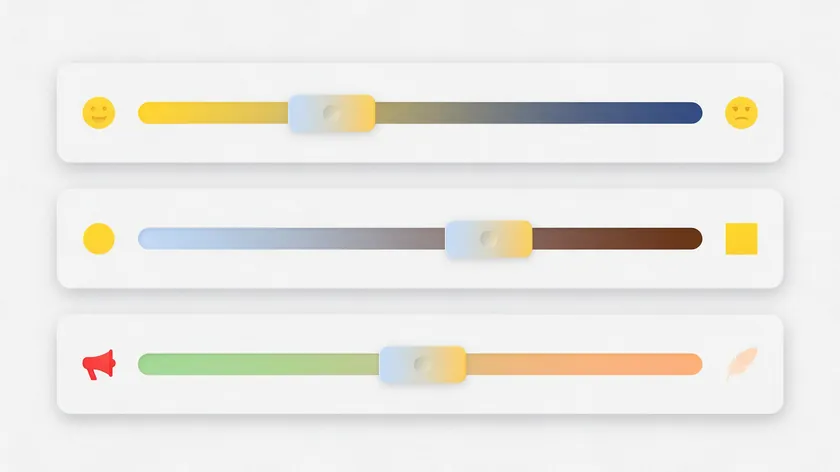
Start by mapping your brand onto a few personality spectrums:
- Playful ↔ Serious—A children’s brand skews playful (rounded sans serif fonts); a law firm skews serious (classic serif).
- Modern ↔ Classic—A tech startup often leans modern (geometric sans); an editorial publication leans classic (transitional serif).
- Loud ↔ Understated—A streetwear label can go loud (heavy display type); a wellness brand often goes understated (light, airy letterforms).
Write down three adjectives—something like “warm,” “modern,” or “minimal”—and use them as a filter for every font you evaluate. Fonts should have a shared emotional tone for effective pairing, and these adjectives are your shorthand for that tone.
Certain well-known fonts tend to signal specific traits. Playfair Display and Libre Baskerville suggest editorial tradition and elegance.
Open Sans and PT Sans feel neutral and digital-friendly—a great choice for brands that prioritize readability on screens. Matching your adjectives to known typeface personalities cuts guesswork considerably.
Step 2: Pick Your Anchor Font (Heading or Body First?)
Your anchor font is the primary typeface you choose first. It sets the tone for the rest of the pairing and is the hardest to swap fonts on later, so get this one right.
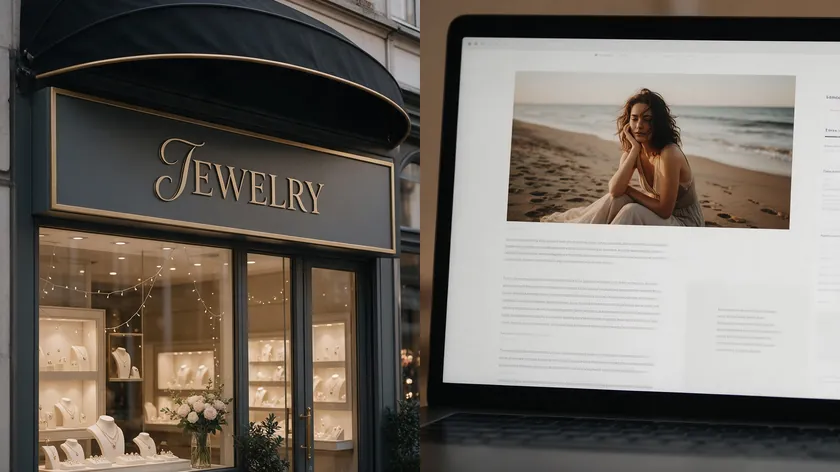
When to anchor on a heading font: Brands that need strong personality up front—creative studios, photography brands, lifestyle labels, boutique shops—often start here. For example, a boutique jewelry brand might choose Playfair Display as its headline anchor, locking in that high-contrast, elegant serif style before looking for a body partner.
When to anchor on a body font: Content-heavy sites, blogs, and apps spend most of their real estate on paragraphs. Anchoring on a body font like Open Sans ensures the reading experience is solid across screen sizes, and then you layer in a more expressive heading font on top.
Before committing, verify these practical considerations:
- Legibility at small text sizes and on mobile
- Available weights (at minimum: Regular, Bold, Italic)
- Character support for any languages or symbols your brand requires
- Licensing terms—especially if you plan to embed the font on the web
Once your anchor checks every box on this list, you’re ready to bring in a second typeface to contrast and complement it.
Step 3: Add A Second Font That Contrasts And Complements
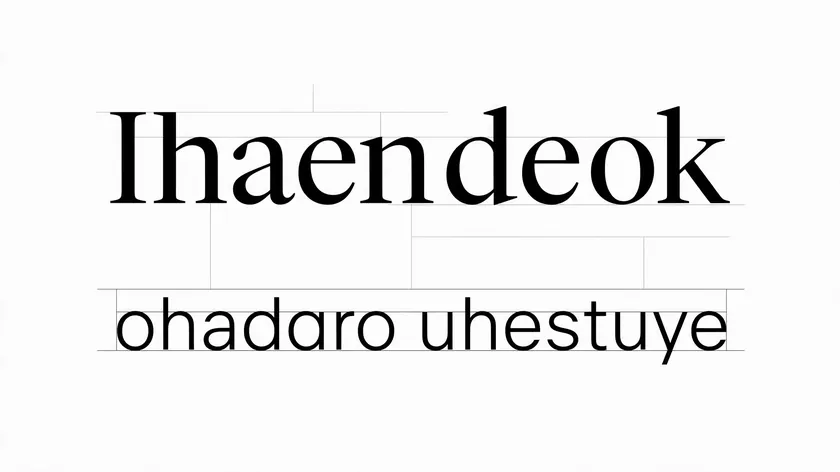
Once your anchor is set, decide the role of the second font. If your anchor handles headings, the partner handles body text—and vice versa. Contrast by classification to make roles immediately distinct in font pairing: a serif heading with a sans serif body, or a sans serif heading with a serif body.
Contrast between font styles improves readability and engagement. Here are the traits to compare when evaluating a partner:
- X-height: Both fonts should have roughly similar x-heights so they feel related at different sizes.
- Letter width: Contrast in width enhances visual interest in font pairings—try a condensed heading with a normal-width body, for instance.
- Stroke contrast: A high-contrast serif heading (thick/thin variation) pairs well with a low-contrast sans serif body.
- Texture: Smooth and geometric versus organic and calligraphic—pick one of each for contrast.
Worked example: Imagine your anchor is Playfair Display for headings. Its high stroke contrast and classic serif shape call for a partner that’s clean and neutral. Lato—a humanist sans serif with a similar x-height—balances it without competing. The result: Playfair Display and Lato create elegant editorial designs.
Avoid pairing two fonts that are nearly identical in classification and weight. Two similar humanist sans serifs, for example, often look like a mistake rather than a deliberate combination. If the pairing feels off, that’s usually a sign you need more contrast, not less.
Step 4: Fine-Tune Hierarchy With Size, Weight, And Case
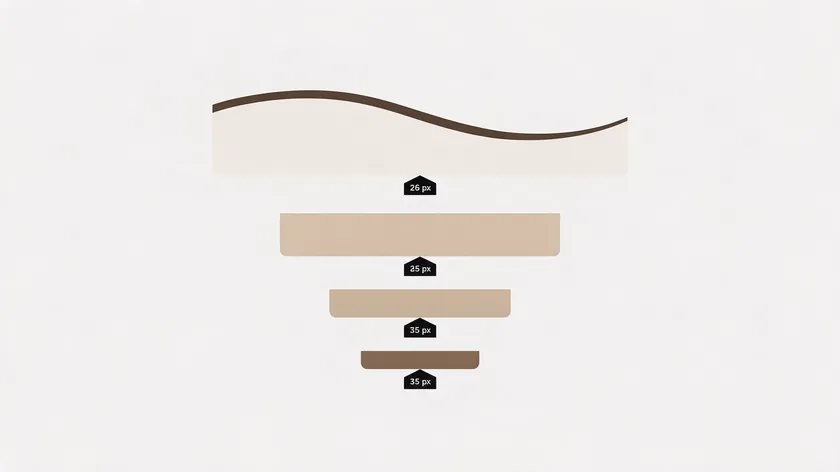
Even the right font pairing can fall flat if the hierarchy is unclear. Establishing a clear hierarchy helps guide the reader’s eye effectively—and the tools for that go beyond font selection.
Size ratios for web and brand layouts:
- Body text: 16 px (a common baseline for readability on digital screens)
- H1 headings: roughly 2–2.5× body size (32–40 px)
- H2 subheadings: roughly 1.5× body size (24 px)
- Captions or small text: 12–14 px
Headings should be larger and bolder than body text. Use bold or semibold weights for headings; strategically using different font weights enhances visual hierarchy without requiring additional typefaces.
Pairing all-caps or small-caps headings with sentence-case body text can create contrast without adding a third font. This works especially well when both roles use the same family.
And if space is tight, condensed fonts like Archivo Narrow can be set larger in headings without overwhelming the layout—perfect for social media posts or narrow sidebar templates.
Using a grid helps create a structured composition in typography, keeping your size ratios and spacing consistent across every page.
Reliable Font Pairing Formulas You Can Reuse
These formulas turn abstract rules into concrete starting points. Pick the one that matches your brand personality, plug in the fonts, and adjust from there.
Classic Editorial
High-contrast serif for headings plus a humanist sans serif for body copy. This formula signals elegance and authority. For more options beyond Playfair Display, our roundup of the best serif fonts for logos breaks down which high-contrast serifs pair best with a brand built on authority.
Example: Playfair Display headlines with Source Sans Pro body text. The dramatic thick-thin strokes of the serif create hierarchy, while the sans keeps paragraphs readable.
Clean Tech
Geometric sans serif heading plus a neutral sans serif body. This pairing leans modern and user-friendly—common in SaaS and tech brands. Try Work Sans for headings with Inter or Source Sans for body. Both fonts work well on digital screens and generate a streamlined, professional feel.
Warm Professional
Rounded or humanist sans serif headings paired with an old-style serif body. This formula often fits educational or service-oriented brands. Raleway and Merriweather are effective for educational websites, combining warmth with classic readability.
Single-Family Simplicity
One font family, multiple weights. PT Sans Regular for body, PT Sans Bold for headings—done. This is the safest formula when the brand needs maximum simplicity. It works across templates, presentations, and social posts without any risk of clashing style.
Example Font Combinations For Real-World Brands
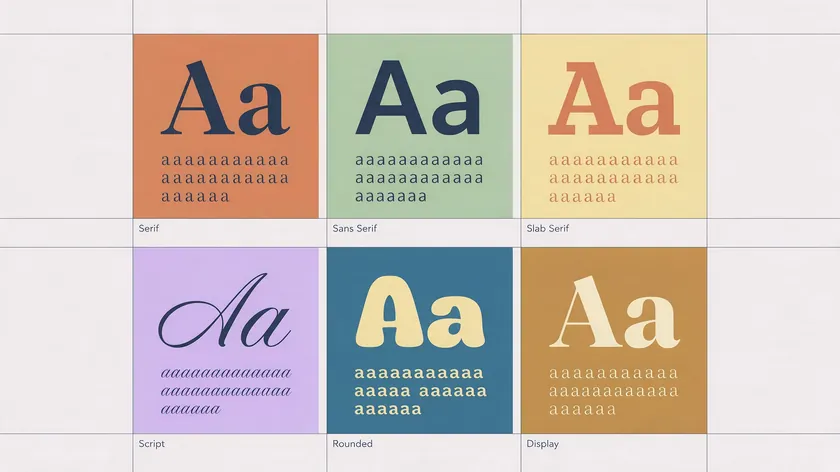
Below is a comparison table of tested font combinations. Each row notes the heading font, body font, brand vibe, and what it tends to work best for.
Fonts should complement each other without competing for attention—every pairing here achieves that through a combination of contrast and shared structure.
| Heading Font | Body Font | Brand Vibe | Best For |
|---|---|---|---|
| Playfair Display | Lato | Elegant, editorial contrast | Fashion, luxury, editorial sites |
| Bebas Neue | Montserrat | Bold, modern, high-energy | Fashion retail, event marketing |
| League Spartan | Libre Baskerville | Confident heading, refined body | Publications, magazines, portfolios |
| Montserrat | Open Sans | Geometric clarity, approachable | SaaS, tech, corporate sites |
| Julius Sans One | Archivo Narrow | Clean, structured, professional | Resumes, personal branding pages |
| Raleway | Merriweather | Warm, academic, trustworthy | Educational websites, nonprofits |
| DM Serif Display | Inter | Statement heading, friendly body | Creative agencies, boutique brands |
These combinations scale well across brand touchpoints: logo lockups, web headings, social tiles, and presentation decks. Most are available as free Google Fonts, which simplifies licensing and cross-platform use.
Adobe Fonts offers additional premium options if your brand later needs broader families or extended character sets.
How To Test Font Pairings Across Your Brand System

Choosing fonts in a vacuum—just looking at specimen pages—is risky. Testing font pairings in context ensures readability and compatibility before you commit.
Here’s a simple testing workflow:
- Create a one-page brand board mockup. Drop your chosen pairing into a layout that includes a hero heading, a subheading, a paragraph of body copy, a button label, and a caption. Use real copy, not placeholder Latin text.
- Test across devices. View the mockup on mobile, tablet, and desktop. Pay attention to whether the heading still feels distinct at smaller screen sizes and whether body text stays legible.
- Check against a background image. Overlay your heading font on a photograph or colored background to make sure contrast holds. Ensure you meet WCAG AA contrast ratios (4.5:1 or higher for normal text).
- Run a quick user check. Send two mockups with different pairings to a colleague or customer. Ask which one feels clearer and which better matches the brand personality you defined in Step 1.
- Test on real assets. Mock up an Instagram post, an email header, and a business card. If the pairing holds across all three, it’s likely robust enough for the full brand system.
Several free tools can accelerate this process. Fontjoy uses AI to generate font pairings based on contrast levels you set. FontPair helps users find combinations of Google Fonts specifically. Google Type showcases font combinations using Google Fonts in editorial layouts.
Mixfont allows users to visualize thousands of font pairings side by side. Typ.io finds font pairs from well-designed websites, giving you real-world inspiration.
And Type Connection is a game for practicing font pairing skills if you want to build your eye for contrast and connection.
Common Font Pairing Mistakes (And How To Fix Them)
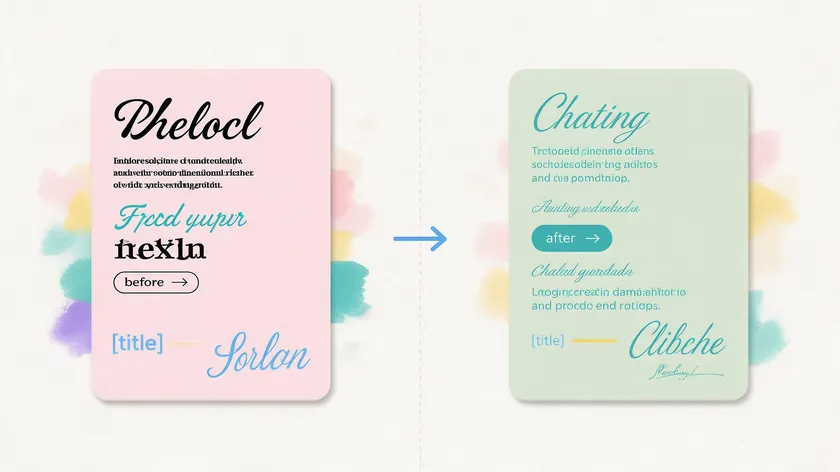
Even experienced designers stumble here. These are the most frequent errors and their fixes:
Too many fonts. Using four or five typefaces across a single layout scatters attention. Fix: pare back to two fonts plus weight variations.
The “Rule of Three” suggests using one serif, one sans serif, and one script font at most—and even three fonts should only appear if each has a clearly defined, non-overlapping role.
Overly similar typefaces. Two sans serif fonts with nearly identical proportions look like a mistake, not a creative choice. Fix: swap one for a different classification entirely. Replace one of the sans serifs with a serif to introduce real contrast.
Two showy display fonts. A decorative script heading plus a heavy slab serif subheading creates visual competition. Fix: keep the script for the logo wordmark and choose a readable sans serif for all other headings.
Ignoring line spacing and contrast. Tight leading on a dense serif body makes long reads exhausting. Ultra-light weights can disappear on lower-resolution screens.
Fix: set body line height to at least 1.5× the font size and avoid anything thinner than regular weight for body text. Research on legibility confirms that fundamentals like size, spacing, and reader familiarity tend to affect readability more than whether serifs are present.
Skipping real-language testing. Placeholder text hides broken diacritics, awkward spacing, and missing glyphs. Fix: always test with actual content in every language your brand uses.
Building a Simple Brand Kit Around Your Font Pairing
Once your font pairing is chosen, document it so anyone creating assets can apply it consistently. A simple brand kit prevents the slow drift that happens when collaborators choose fonts on the fly.
What to include in a one-page brand kit:
- Font names and weights: e.g., Playfair Display Bold (headings), Source Sans 3 Regular (body), Source Sans 3 Italic (captions).
- Roles and minimum sizes: H1 = 32 px bold, H2 = 24 px semibold, body = 16 px regular, captions = 14 px.
- Sample snippets: A headline, a subhead, and a short paragraph rendered in the chosen pairing so the visual appeal is immediately obvious.
- Color palette reference: Show the fonts alongside your brand colors and logo so collaborators see the full picture.
- Font sources and licensing: Link to the official download pages (Google Fonts, Adobe Fonts, or the foundry’s site) and note whether the license covers commercial use.
Save the kit as a shared PDF or style guide. New team members—or any freelancer you hire—will be able to generate on-brand materials without guessing.
Key Takeaways
- A strong font pairing typically combines two typefaces—one for headings, one for body text—to create hierarchy and visual harmony across every brand asset. Successful pairings balance contrast and similarity, often a serif with a sans serif, or a distinctive display heading with a neutral body font that does the heavy reading work.
- Start by defining your brand personality with a few adjectives, then pick an anchor font that fits it before searching for a complementary partner—checking x-height, texture, and role (heading vs. body).
- Mixing classifications (serif + sans serif) tends to produce the most reliable contrast, while fonts from the same family offer the simplest shortcut.
- Hierarchy tweaks—size ratios, weight variation, letter spacing, and case—can dramatically improve a pairing without changing fonts; a perfect balance of scale and weight is often more important than finding a “perfect” typeface.
- Test your pairing on real brand assets (website, social media posts, business cards) and document the final choice in a reusable brand kit so typography stays consistent as your business grows. Use the example combinations and formulas above as safe starting points, especially with familiar workhorse fonts like Open Sans, Playfair Display, Libre Baskerville, Archivo Narrow, and PT Sans.
Once you’ve settled on a font pairing, the fastest way to confirm it works is seeing it applied directly to your own brand name. Try building your logo now with the AI Logo Generator to test your chosen combination on a real design rather than a generic mockup.
FAQ
How many fonts should I pair in one brand system?
Most small brands work best with two main typefaces: one for headings and one for body copy, plus weight and italic variations within those families.
A third accent font—such as a script for a tagline or a monospace for code snippets—can work if used very sparingly and documented clearly in the brand kit.
Using more than three fonts in everyday materials often makes layouts feel chaotic and hard to maintain across templates and collaborators.
Should I use the same font pairing for my logo and website?
The logo can use either the main heading font or, if needed, a more decorative or custom font, provided it still feels related to the rest of the system in shape and personality.
If your brand identity centers on a wordmark rather than an icon, see our guide on designing letter-only logos for how a single typeface can carry the entire mark.
Reusing at least one of the brand fonts (or a very close relative) in the logo keeps things cohesive across touchpoints. Avoid a logo font that completely clashes in tone with the heading and body pairing, even if it looks interesting in isolation.
Are free fonts good enough for professional font combinations?
Many free fonts—especially well-known families like Open Sans, Playfair Display, Libre Baskerville, Archivo Narrow, and PT Sans—are widely used in professional branding and designed to high standards.
The key is to check licensing terms for each font to ensure commercial use is allowed before rolling it out. If a brand later upgrades to paid fonts, follow the same pairing rules and update the brand kit so readers experience a smooth transition rather than a jarring redesign.
What’s the best way to pair fonts for languages with special characters?
Check that both fonts in the pairing support all needed characters—accented letters, currency symbols, and any non-Latin scripts—before committing.
Test full paragraphs in the actual language (not placeholder Latin text) to spot spacing or legibility issues early. Prioritize robust, well-supported families for body text, then choose fonts with more visual appeal for headings only if they fully support the required character set.
How often should I revisit or update my font pairing?
Review your font pairing when your brand positioning changes significantly—new target market, new visual direction—or when you redesign your website.
Brands don’t need to chase typography trends every year; consistency over several years tends to build stronger recognition.
Treat font changes like any rebrand decision: test carefully across key assets and roll out intentionally, rather than casually swapping on a single page.

